 TaxTMI





 07 Nov 2026

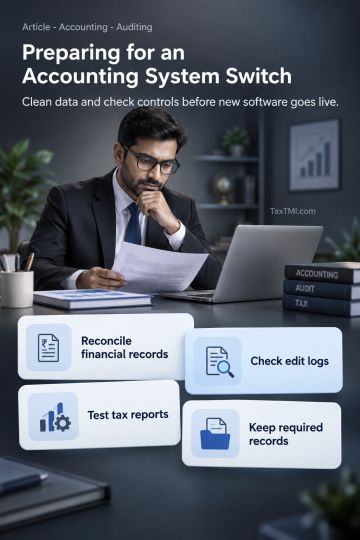
ERP and accounting-software projects rarely collapse because of the technology. They collapse because the business automates its own confusion - and the CA inherits the mess at audit.
In July 1999 the American chocolate maker Hershey switched on a suite of new enterprise systems - order management, supply-chain planning and customer relationship software - in one large go-live.
The timing could scarcely have been worse: the run-up to Halloween, one of its busiest seasons. Orders went into the new system but didn't flow properly to warehouses and trucks. Widely reported accounts describe more than US$100 million of orders that couldn't be filled on time and a sharp fall in quarterly profit.
The software came from respected vendors. What failed was how it was introduced into the business.
The dazzling demo
Real-time dashboards. Automatic reconciliations. Multi-location inventory. One-click financial statements. The client signs, migrates its data and goes live.
Six months later the team is still keeping spreadsheets alongside the new system. Reports don't agree, stock figures are wrong, the finance team works longer than before and managers no longer trust the dashboards.
The software works. The business never changed.
Lesson from history: the first business computer
In 1951 J. Lyons & Co., the British tea-shop company, ran LEO I - widely regarded as the first computer used for routine business work such as valuations, payroll and stock.
Less remembered is why Lyons succeeded: for years beforehand a dedicated team had studied and improved its clerical processes. When the computer arrived, it automated work that had already been simplified and understood.
Seventy-five years on, the sequence still matters: process first, technology second.
Why finance-technology projects disappoint
Survey after survey finds that many ERP and large IT programmes overshoot their budgets or timelines, or deliver less than promised. Figures differ between studies; the root causes hardly change - and they're seldom about technology:
1. Automating broken processes - informal approvals, unrecorded stock movements and late invoicing get recorded faster, not fixed.
2. Migrating dirty data - duplicate customers, inconsistent item codes, unreconciled openings and a chaotic chart of accounts move straight across.
3. Over-customisation - insisting the software mimic old habits raises cost, delays go-live and complicates upgrades.
4. No internal owner - the project is left to the vendor and nobody inside has time and authority to decide.
5. Thin training - a short demo, then users learn on the job.
6. Permanent parallel systems - "just in case" spreadsheets stop the new system becoming the single source of truth.
7. Choosing for the wrong reasons - a competitor uses it, it's fashionable, or it came with the biggest discount.
8. Big-bang go-live at peak season - Hershey's lesson.
Software amplifies discipline - and the absence of it.
In a nutshell
Essence: most system failures are process, data and people failures that technology exposed and accelerated.
The uncomfortable reality
Many owners buy software hoping it will impose the discipline they never imposed. It won't. A system can enforce an approval workflow only if someone designs it and management respects it; it can produce profitability reports only if costs are recorded correctly and consistently.
The Process-First Ladder
Successful implementations climb these rungs in order; skip one and the project wobbles.
Rung 1: Map the processes
Document how work really happens - order-to-cash, procure-to-pay, record-to-report, inventory, payroll - including every handoff and exception.
Rung 2: Fix them on paper
Remove redundant approvals, duplicate entry and unclear ownership before configuring anything.
Rung 3: Define requirements
Business needs, statutory needs (GST e-invoicing and e-way bills, TDS, statutory reports, audit trail) and growth needs for the next five years.
Rung 4: Choose on fit, not features
Judge options on industry and size fit, total cost of ownership, local support, integration, data security and the vendor's record with similar businesses. Speak to three existing customers.
Rung 5: Clean the data
Reconcile opening balances, merge duplicates, standardise codes and redesign the chart of accounts for management and statutory needs.
Rung 6: Configure, don't customise
Adopt standard processes unless there's a strong business reason not to.
Rung 7: Test with real scenarios
Returns, credit notes, part deliveries, tax adjustments and month-end close, using real data from past months.
Rung 8: Train by role
Hands-on exercises and short written guides for each user group, not one generic demo.
Rung 9: Go live in a quiet period - and retire the old system
Pick a low-season date and set a firm end date for parallel spreadsheets.
Rung 10: Review and strengthen
Track adoption, fix data quality quickly, review user access and segregation of duties, and measure benefits against the original business case.
Illustration
A trading company with Rs. 40 crore of turnover moves from a spreadsheet-heavy setup to a mid-market ERP.
Plan A (the usual): buy, import last year's ledgers as they stand, go live in March at year-end and train users in one afternoon. Outcome: stock mismatches, a delayed close, an unhappy auditor and staff drifting back to spreadsheets.
Plan B (the Ladder): eight weeks spent redrawing and simplifying buying and selling workflows, a rebuilt chart of accounts, de-duplicated item and customer masters, cut-over on 1 July when trade is slow, a single month of parallel running and training tailored to each role. Outcome: a slower start, but a ten-day monthly close within six months and reliable branch margins for the first time.
The software was identical. The sequence made the difference.
For practitioners: the CA's role in a migration
- Certify the opening balances. Reconcile and sign off trial balance, debtors, creditors, stock and statutory ledgers before cut-over; it's the foundation of next year's audit.
- Insist on the audit trail. Confirm edit-log functionality is enabled from day one and that it can't be disabled by users.
- Design user roles and segregation of duties. Map who can create vendors, post journals, approve payments and change masters; avoid blanket admin rights.
- Test statutory outputs. Validate GST returns, e-invoice and e-way bill generation, TDS reports and Schedule III mapping before go-live.
- Plan the cut-over around compliance dates. Avoid going live in the weeks around GST and TDS deadlines or financial year-end.
Indicators of success
- Close time falls with fewer manual adjustments.
- Off-system spreadsheets decline.
- Data quality improves - far fewer duplicate customers, vendors and items.
- User adoption - staff use the system as designed without workarounds.
- Audit trail - every entry is traceable, meeting legal requirements.
Outlook: the coming decade
AI is being built into ERP and accounting software - automatic invoice capture, predictive cash forecasting, natural-language reporting. It will pay off only for businesses with clean processes and data. The next generation of software will reward process discipline even more than the last.
Immediate actions by role
- Owner: before approving new software, name the three business problems it will solve and how success will be measured.
- CFO: map order-to-cash and procure-to-pay as they actually run today.
- IT head: clean customer, vendor and item masters before migration.
- Users: list every spreadsheet kept outside the current system, and why.
The objection we hear most - and our response
The objection: "Our processes work fine. We just need a better tool. Months of process mapping is consultant-speak."
The answer: Sound processes can be mapped in a matter of days, and the map proves they're sound. Unsound ones get exposed before the client spends money automating them. For most SMEs, rungs one and two need only a few weeks - trivial beside the cost of a botched go-live: missed orders, a delayed audit and a team that no longer believes the numbers. Thinking first is the cheapest insurance a software project will ever buy.
Practitioners' FAQ
"Should a small business move from Tally to a bigger ERP?"
Only when it has outgrown the current system - multiple locations, complex inventory, manufacturing or heavy integration needs. Many small businesses gain more by using existing software properly.
"Cloud or on-premise?"
Cloud reduces hardware and maintenance burdens and suits most SMEs, but check data security, backup, local support and exit terms.
"How long should implementation take?"
Weeks to a few months for a small business; much longer for complex multi-site operations. Be wary of timelines that skip data cleaning and training.
Position as at October 2026: In India, companies must use accounting software with an audit trail (edit log) for every transaction that cannot be disabled, and auditors report on compliance. GST e-invoicing and e-way bill integration apply above turnover thresholds, the DPDP Rules impose safeguards on personal data held in systems, and records must be retained for statutory periods. Build these requirements into Rung 3.
Where AI fits
AI-enabled finance tools can read invoices, match transactions, suggest ledger codes, flag anomalies and draft reports, sharply reducing manual work. But AI depends on structured, reliable data and clear processes even more than traditional software. Layered on chaotic data, AI produces confident-sounding but unreliable answers.
Pitfalls
- Signing for software while processes are still broken.
- Carrying unreconciled balances into the new system.
- Handing project ownership to the vendor.
- Bending the software to every old habit.
- Blanket administrator access for all users.
- Running parallel spreadsheets indefinitely.
- Going live in the busiest season.
Terms explained
- ERP - enterprise resource planning software linking finance, inventory, sales and purchasing in one system.
- Master data - core records such as customers, vendors and items that transactions rely on.
- Data migration - moving data from old systems to a new one.
- Audit trail - a log of who changed what in the system, and when.
- Go-live - the date a new system begins handling real business.
Action checklist
Processes mapped before software selection
Master data cleaned before migration
Audit trail enabled and tested
Half-hour action exercise
Before the next software decision, answer in writing:
1. Which three problems will this solve - specifically?
2. Which processes must change first?
3. Who inside owns the project, and how many hours a week can they give?
4. Is our data clean enough to migrate, and who'll clean it?
5. How will success be measured after six months?
Without answers to all five, the client isn't ready to buy.
Summary for busy professionals
- Software projects fail mainly through automated broken processes, dirty data, over-customisation, no internal owner, weak training, endless parallel systems and badly timed go-lives - Hershey's 1999 experience shows how badly.
- Work up the Process-First Ladder rung by rung - from mapping and fixing processes to a quiet go-live and a post-implementation review.
- Design compliance in from the start: edit logs, e-invoicing, personal-data safeguards and retention.
- AI rewards clean data and processes and punishes messy ones.
- Spending a few weeks on processes up front is far cheaper than repairing a failed migration.
Technology is an accelerator. Point it in the right direction before pressing it.
References
- Contemporary reporting on Hershey Foods' 1999 systems implementation (e.g., The Wall Street Journal and Computerworld, 1999).
- Georgina Ferry, A Computer Called LEO: Lyons Tea Shops and the World's First Office Computer (Fourth Estate, 2003).
- Companies (Accounts) Rules, 2014 (India), as amended - audit trail requirement. mca.gov.in
- Thomas H. Davenport, Mission Critical: Realizing the Promise of Enterprise Systems (Harvard Business School Press, 2000).